MuJoCo VR Mocap Hand Example
The mocap hand points offer a way to mimic users hand pose with MuJoCo mocap points, allowing for control over virtual hands in a MuJoCo environment.
Mocap Point API
By default any mocap body specified in the MuJoCo XML file will become a movable mocap point in the VR environment. In order to control specific mocap points with hand joints, we follow XR Hand Naming Conventions, where any mocap body with the same naming convention will be linked to that joint:
"{joint}-{left | right}" where joint is the name of the joint and left or right specifies the side of the hand.
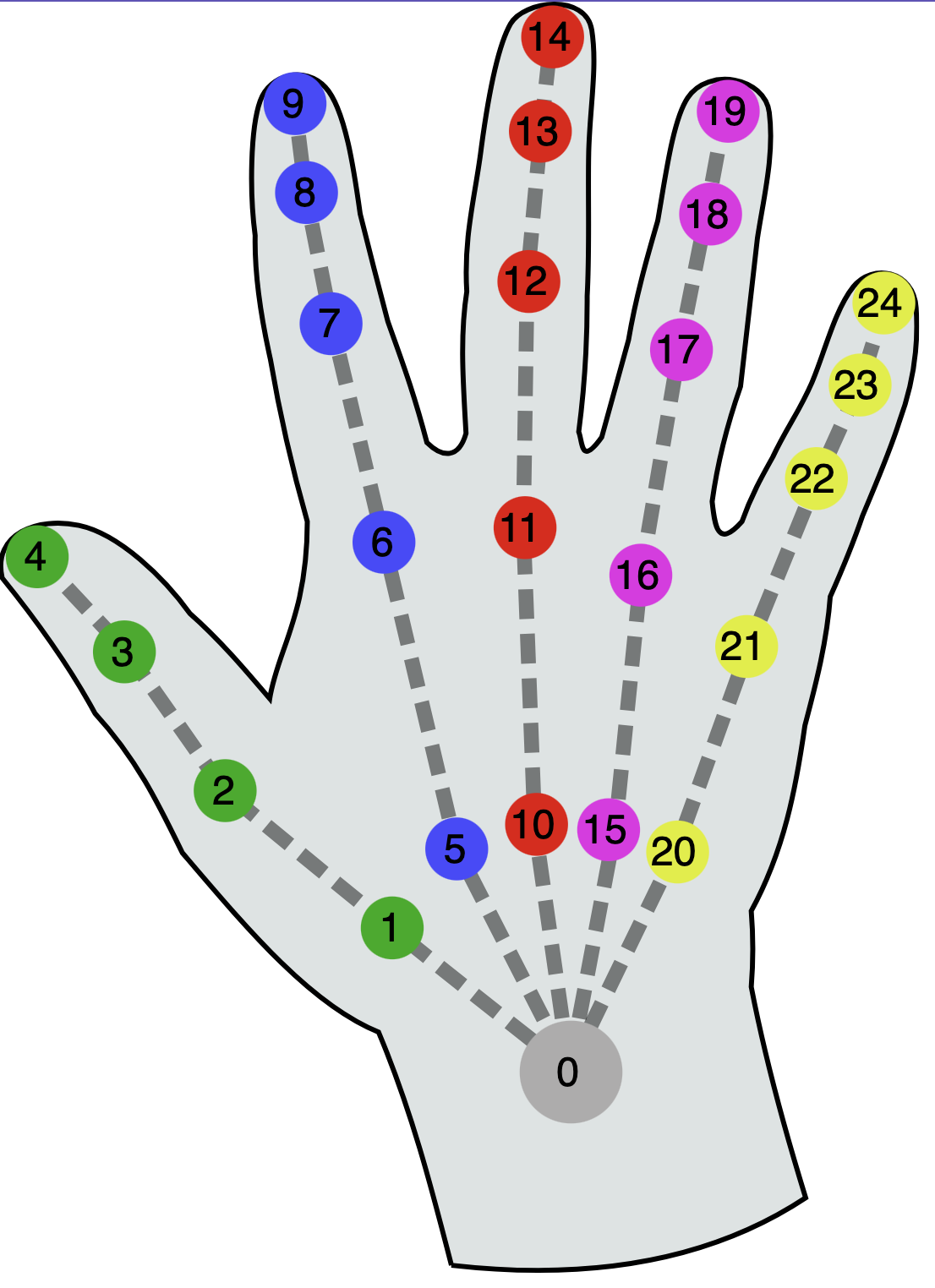
| Hand joint | Index | Hand joint (continue) | Index |
|---|---|---|---|
| wrist | 0 | middle-finger-phalanx-distal | 13 |
| thumb-metacarpal | 1 | middle-finger-tip | 14 |
| thumb-phalanx-proximal | 2 | ring-finger-metacarpal | 15 |
| thumb-phalanx-distal | 3 | ring-finger-phalanx-proximal | 16 |
| thumb-tip | 4 | ring-finger-phalanx-intermediate | 17 |
| index-finger-metacarpal | 5 | ring-finger-phalanx-distal | 18 |
| index-finger-phalanx-proximal | 6 | ring-finger-tip | 19 |
| index-finger-phalanx-intermediate | 7 | pinky-finger-metacarpal | 20 |
| index-finger-phalanx-distal | 8 | pinky-finger-phalanx-proximal | 21 |
| index-finger-tip | 9 | pinky-finger-phalanx-intermediate | 22 |
| middle-finger-metacarpal | 10 | pinky-finger-phalanx-distal | 23 |
| middle-finger-phalanx-proximal | 11 | pinky-finger-tip | 24 |
| middle-finger-phalanx-intermediate | 12 | - | - |
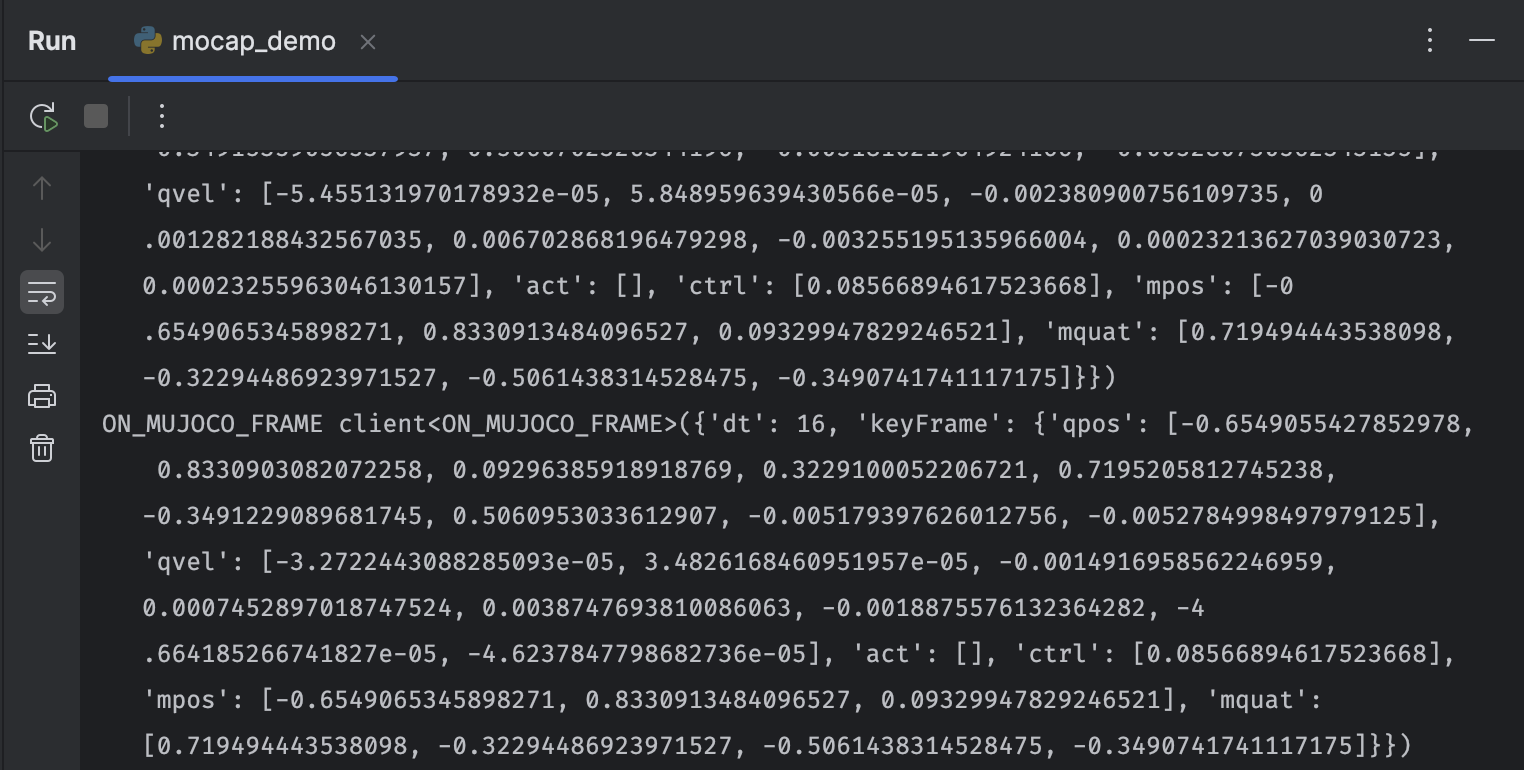
Now, to get the mujoco updates, we can listen to the ON_MUJOCO_FRAME event.
You should get events that looks like these:
and the main session handler.