Showing Point Clouds Programmatically and Fast💨
This example demonstrates two methods for displaying point clouds in Vuer.
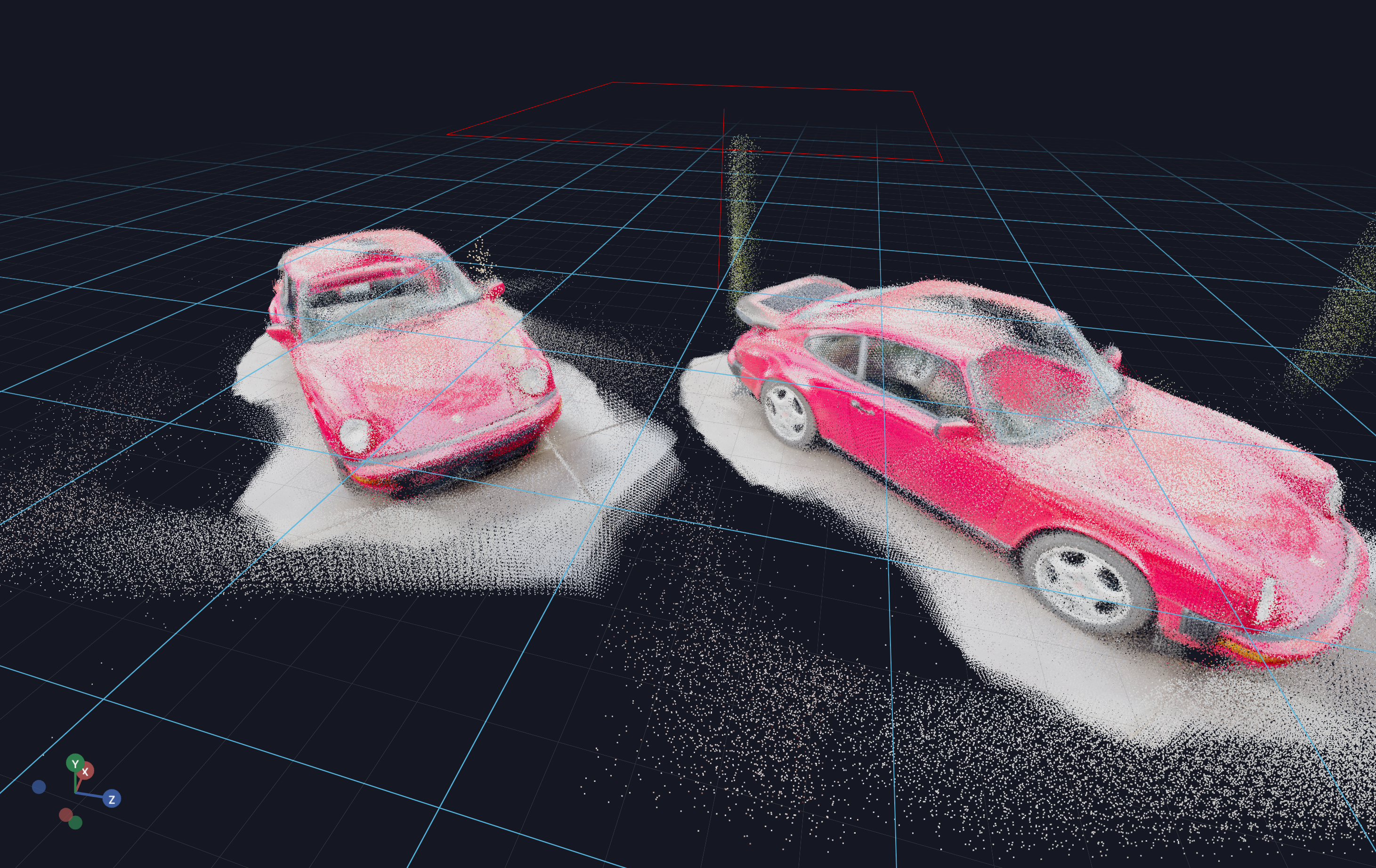
Code Example
python
from asyncio import sleep
from pathlib import Path

import numpy as np
import open3d as o3d

from vuer import Vuer
from vuer.events import Set
from vuer.schemas import DefaultScene, Ply, PointCloud, OrbitControls

assets_folder = Path(__file__).parent / "../../../../assets"
test_file = "pointclouds/porsche.ply"
# Load point cloud using Open3D (better for large files than trimesh)
pcd = o3d.io.read_point_cloud(str(assets_folder / test_file))

app = Vuer(static_root=assets_folder)

@app.spawn(start=True)
async def main(proxy):
    proxy @ Set(
        DefaultScene(
            # Method 1: Load PLY file from static server
            Ply(
                src="http://localhost:8012/workspace/" + test_file,
                size=0.008,
                position=[0, 0, 5],
            ),
            # Method 2: Send vertices and colors directly via websocket
            PointCloud(
                key="pointcloud",
                vertices=np.array(pcd.points),
                colors=np.array(pcd.colors),
                position=[0, 0, 10],
                size=0.008,
            ),
            up=[0, 1, 0],
            bgChildren=[
                OrbitControls(key="OrbitControls")
            ],
        ),
    )

    while True:
        await sleep(1)